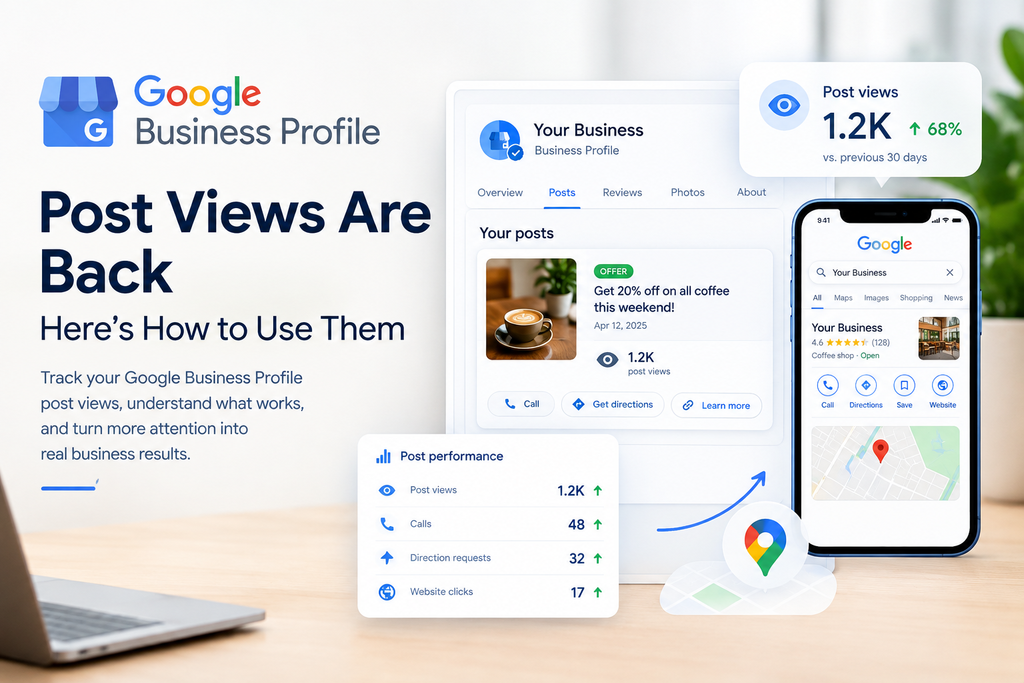
Google Business Profile post views are finally back. For over three years, businesses published posts and had no idea whether anyone saw them.
That gap mattered. Posting felt productive, but you couldn’t tell whether it reached anyone. Now you can at least see reach again. In this post, I’ll explain what changed, what the new counts can’t tell you, and the simple routine I’d give any small business.
What Changed With Google Business Profile Post Views?
Google announced the update in its September Small Business Bulletin. Counts appear on each post card in the dashboard, cover posts from the past 18 months on a rolling basis, and combine views from Search and Maps. Google says the data isn’t in the API yet. Search Engine JournalSearch Engine Journal
The rollout is gradual, so you may not see the counts on your profile today. Here’s the short version:
| Detail | What Google says |
| Where you see it | On each post card in your dashboard |
| Time window | The past 18 months, rolling |
| Surfaces | Search and Maps combined |
| API access | Not yet |
| Clicks | Not included |
The old post metrics ended on February 20, 2023, with no replacement. You can read the full report in Search Engine Journal’s SEO Pulse coverage. Search Engine Journal
The same roundup covers Google’s redesigned Search results in the EEA. I cover that separately in my guide to Google EEA local business search results.
How I Measured Posts Before This Update
Without post-level data, I relied on Business Profile insights. I tracked profile views, searches, website visits, calls, direction requests, and general engagement.
The method was simple. I compared those numbers before and after each post. If calls or direction requests rose after a post went live, that post probably helped.
It wasn’t perfect. Many things affect calls, including seasons, reviews, and ads. But it beat guessing.
A Real Example: The Limited-Time Offer Post
One post stood out. A local service business published a limited-time service offer. After it went live, the business saw a noticeable increase in phone calls and direction requests compared with its usual posts.
[Add your real numbers here, such as the percentage change in calls and directions, and the timeframe.]
Why did it work? The offer gave people a reason to act now. It also told them what to do next. I’m cautious about crediting the post alone, though, because other factors may have contributed. Still, the pattern repeated often enough that I trust it.
The Most Common Business Profile Post Mistake
The biggest mistake I see is posting generic content with no clear purpose or call to action. A post that says “We love our customers!” gives nobody a reason to do anything.
Here’s what I tell businesses to do instead:
- Highlight something specific. Use an offer, a service, an update, or an event.
- Give one clear next step. Use a button like Call now, Book, or Learn more.
- Keep it short. One idea per post works best.
Compare two posts for a plumber. “Great service since 2010” says nothing useful. “Free drain inspection this month, call today” gives a reason and a step.
What the New Post Views Can Tell You
Views help you compare. A restaurant can see whether a weekend event drew more attention than a menu update. A retailer can check whether a seasonal offer beat a routine announcement.
That’s more useful than counting how often you post. Publishing is activity. Views at least measure reach.
I’d use them to answer two questions:
- Which posts attract the most attention?
- Which topics or offers are worth repeating?
What Post Views Can’t Tell You
Here’s the catch. The count shows views, not clicks, so it shows a post was seen but not its impact. Search Engine Journal
Views can’t tell you whether someone called, visited, booked, or became a customer. A post can get many views and produce nothing. Another can get fewer views and bring in three new jobs.
Two more limits apply:
- Search and Maps are combined. You can’t tell where the views came from.
- No API access yet. Agencies managing many locations can’t pull the data in bulk.
So don’t treat views as a success score. Pair them with your conversion metrics.
A Simple Monthly Routine
Here’s the routine I’d give any small business. It takes under an hour.
- Record. Note each post’s views, calls, website clicks, and direction requests.
- Compare. Check the numbers against the previous month.
- Identify. Find the topics or offers that produced the most engagement and actions.
- Repeat and improve. Build next month’s posts around the winners.
A spreadsheet is enough. For a wider checklist, see our local SEO audit checklist.
What to Do This Week
If you do only one thing, do this. Look at your last five to ten posts and compare their views. Then find the topics or offers that got the most attention.
Use that insight to plan next month’s posts. Then check your calls and direction requests to see whether the popular posts also drove action.
FAQs
Where can I see Google Business Profile post views?
On each post card in your Business Profile dashboard, once the rollout reaches your account. Google says it’s rolling out globally, but the timing may vary.
How far back do the counts go?
Google says they cover the past 18 months on a rolling basis.
Do post views include clicks?
No. The count shows views only, so pair it with calls, website visits, and direction requests.
Can I get post views through the API?
Not yet. Google says the data isn’t in the API.
Conclusion
Google Business Profile post views won’t tell you everything, but they fix a real blind spot. You can finally see which posts get noticed.
Use them to compare your recent posts, spot the winners, and plan around them. Then check your calls and direction requests to confirm the posts drive action. Reach is useful, but results are what count.
Looking for the best digital marketing strategist in Kottayam to grow your brand online? I help businesses build a stronger digital presence through strategic SEO, social media marketing, Google Ads, online advertising, and conversion-focused digital marketing strategies. My approach combines creative brand communication with data-driven marketing to attract the right audience, increase visibility, and turn online attention into meaningful business growth. Whether you are a local business, startup, or established brand, I create practical digital strategies tailored to your goals, audience, and market.